Workspaces
Save the windows of a task, with their places, sizes and which one is on top. Give the workspace its own shortcut and switch to it from anywhere.
- Coding⌃⌥1
- Review⌃⌥2
- Planning⌃⌥3
Bento saves the windows of a task as a workspace and brings them all back with one shortcut: each window to its place and size, and only those windows in front. A quick switcher and an ⌥Tab window switcher reach everything else.
brew install --cask tuanchauict/tap/bento
Workspaces
Arrange the windows for a task once and save them. Later, one press puts every window back in place, brings exactly those windows forward, and changes desktop if that is where they are. Everything else stays where it was.
Features
It lives in the menu bar, stays out of the Dock, and does a few things very well.
Save the windows of a task, with their places, sizes and which one is on top. Give the workspace its own shortcut and switch to it from anywhere.
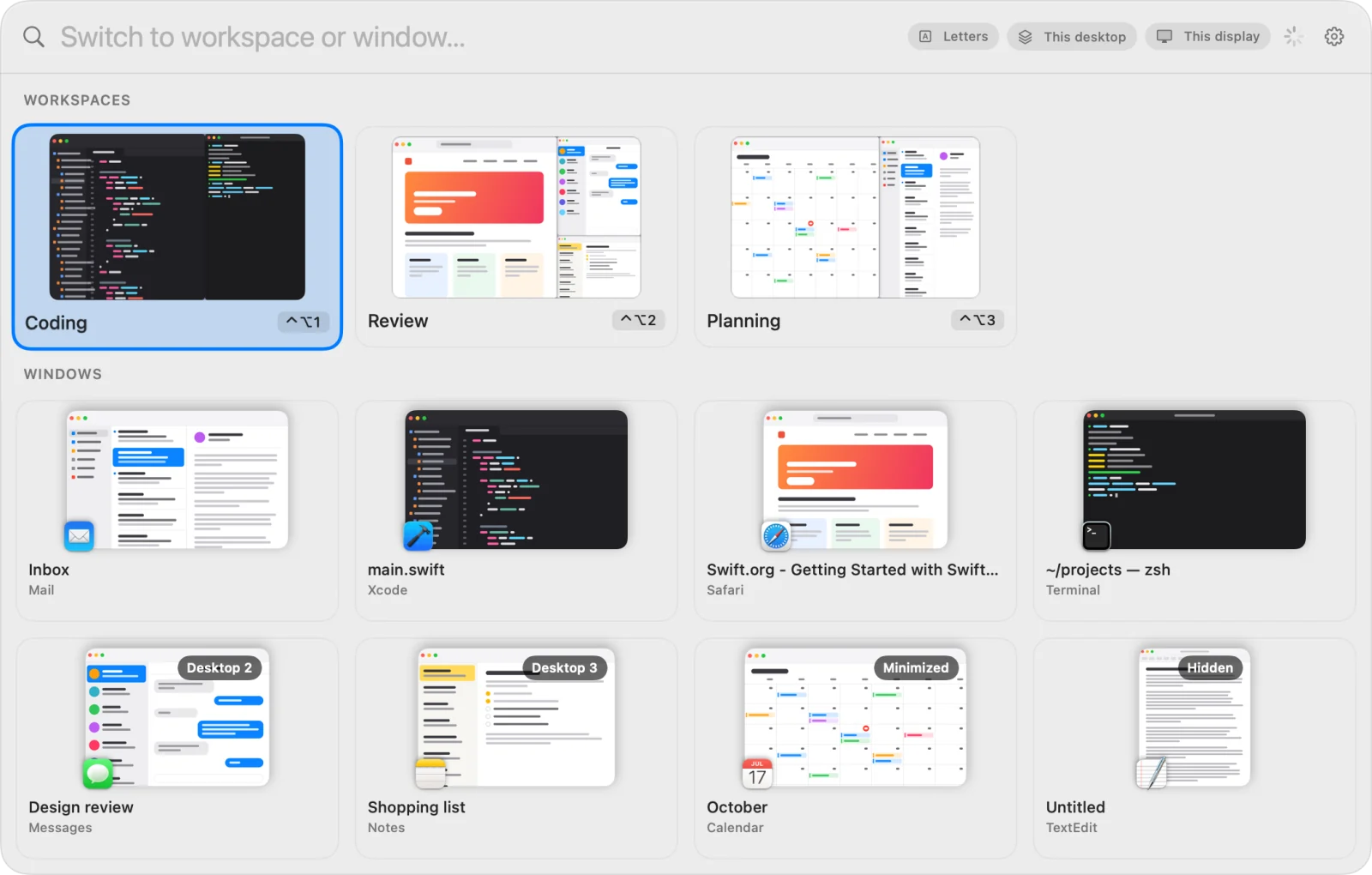
⌃⌥Space opens your workspaces and every open window in one panel. Type a few letters of a name, an app or a title.
Hold ⌥, tap Tab: every window on every desktop, most recent first. Let go to jump.
A letter on every card. The shortcut and one key, and you are there.
Windows on other desktops are listed too. Pick one and you are taken there.
No network code at all: no account, no analytics. Window pictures stay on your Mac.
Got ten browser windows open? Only the two in the workspace come forward, not the whole pile. Every window is matched again on each switch, even after the app restarts.
Positions are saved per display. Unplug one and its windows are scaled onto the main display. Full-screen windows are left alone.
Try it right here
Turn on Letters and the quick switcher opens with a letter on each workspace and window. Need something that is not on screen? Press / to search, then esc to put the letters on what you found.
Workspaces
Windows
No workspace or window matches.
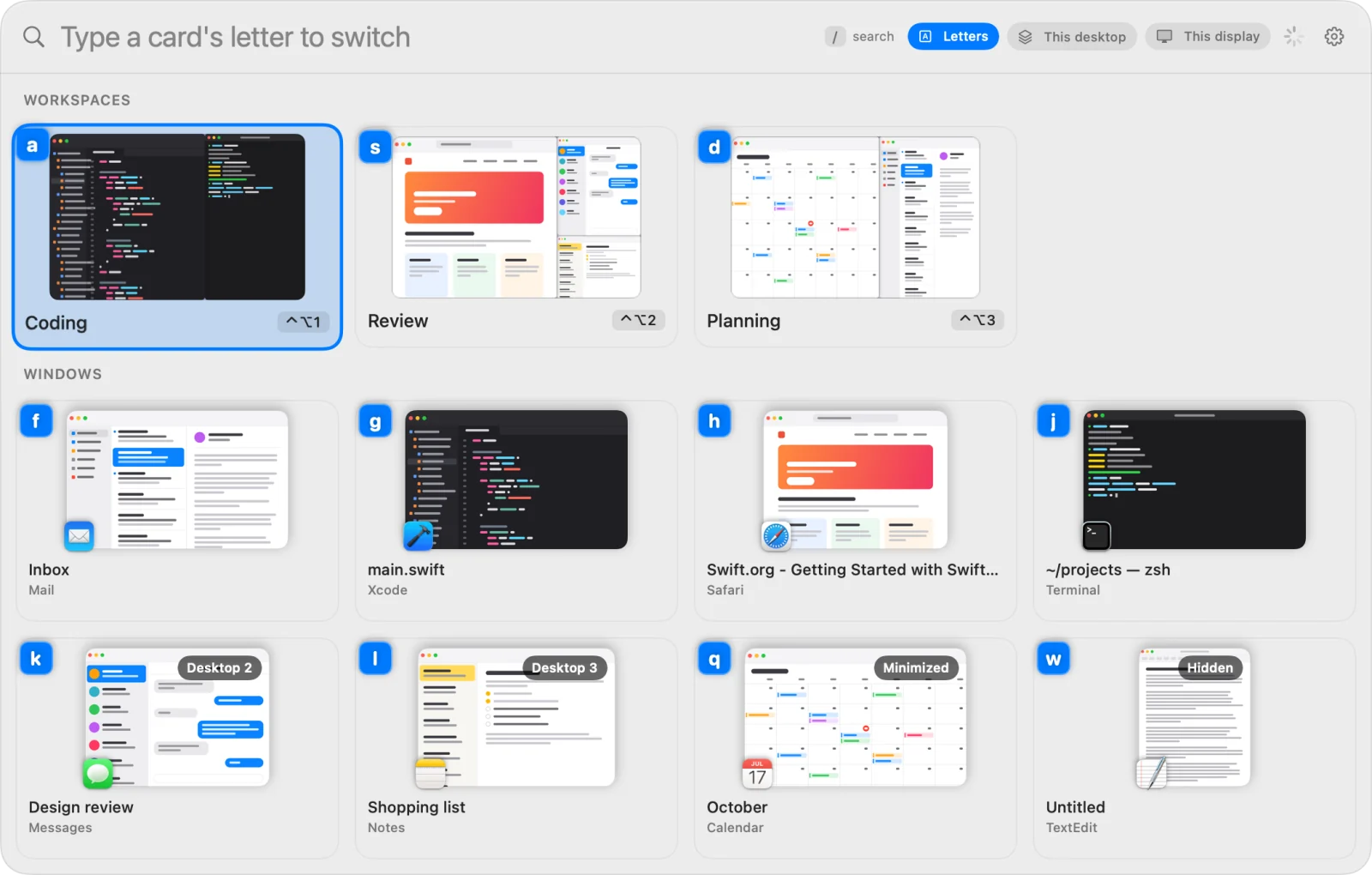
Your keyboard works here. Try d for Planning, or / and type notes, then esc. On a phone, tap a card.
A closer look
Workspaces on top, open windows below. Letters, This desktop and This display are a click away, and the gear opens the settings.
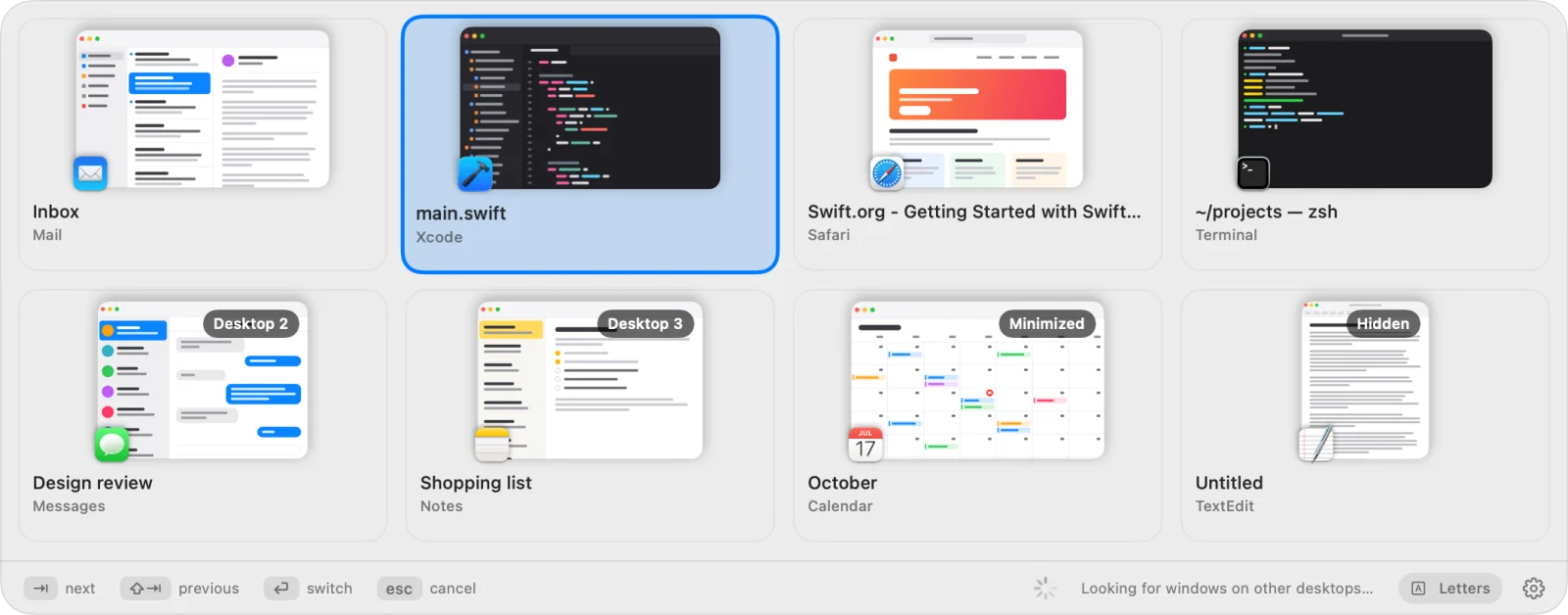
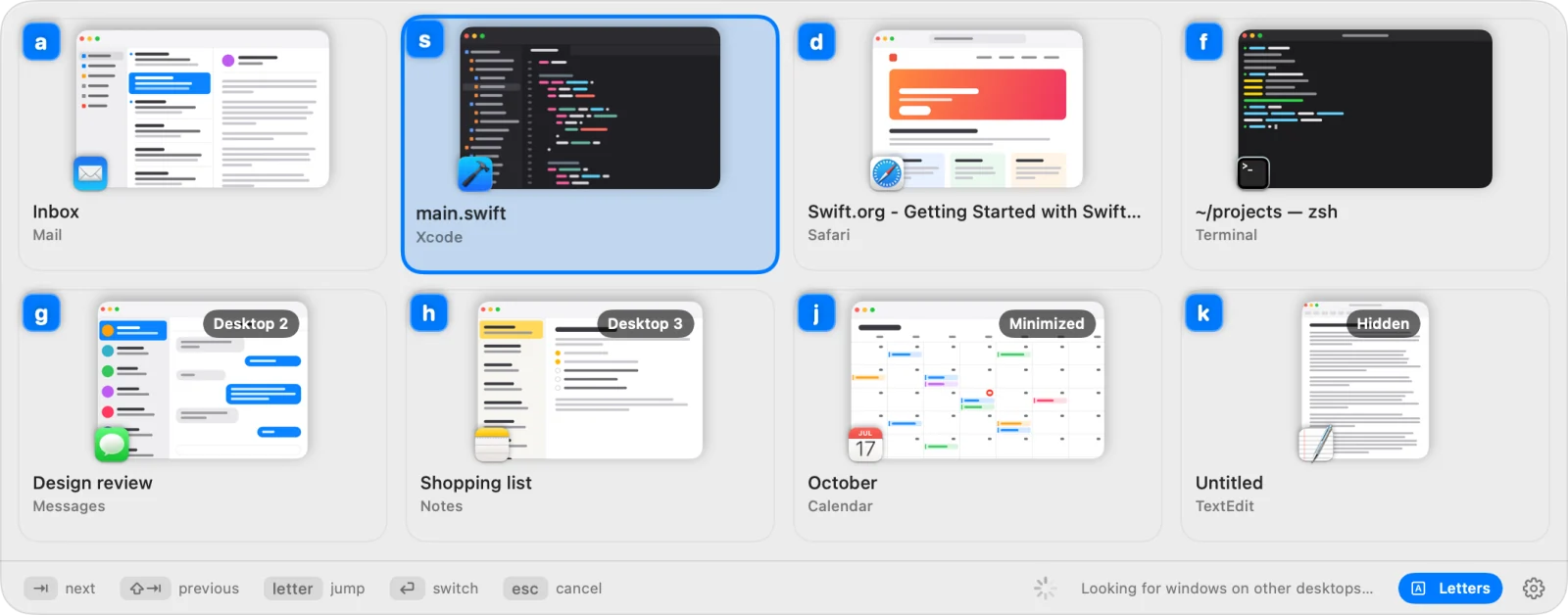
Hold ⌥ and tap Tab. Badges tell you what is on another desktop, minimized or hidden. Add ⇧ to go back.
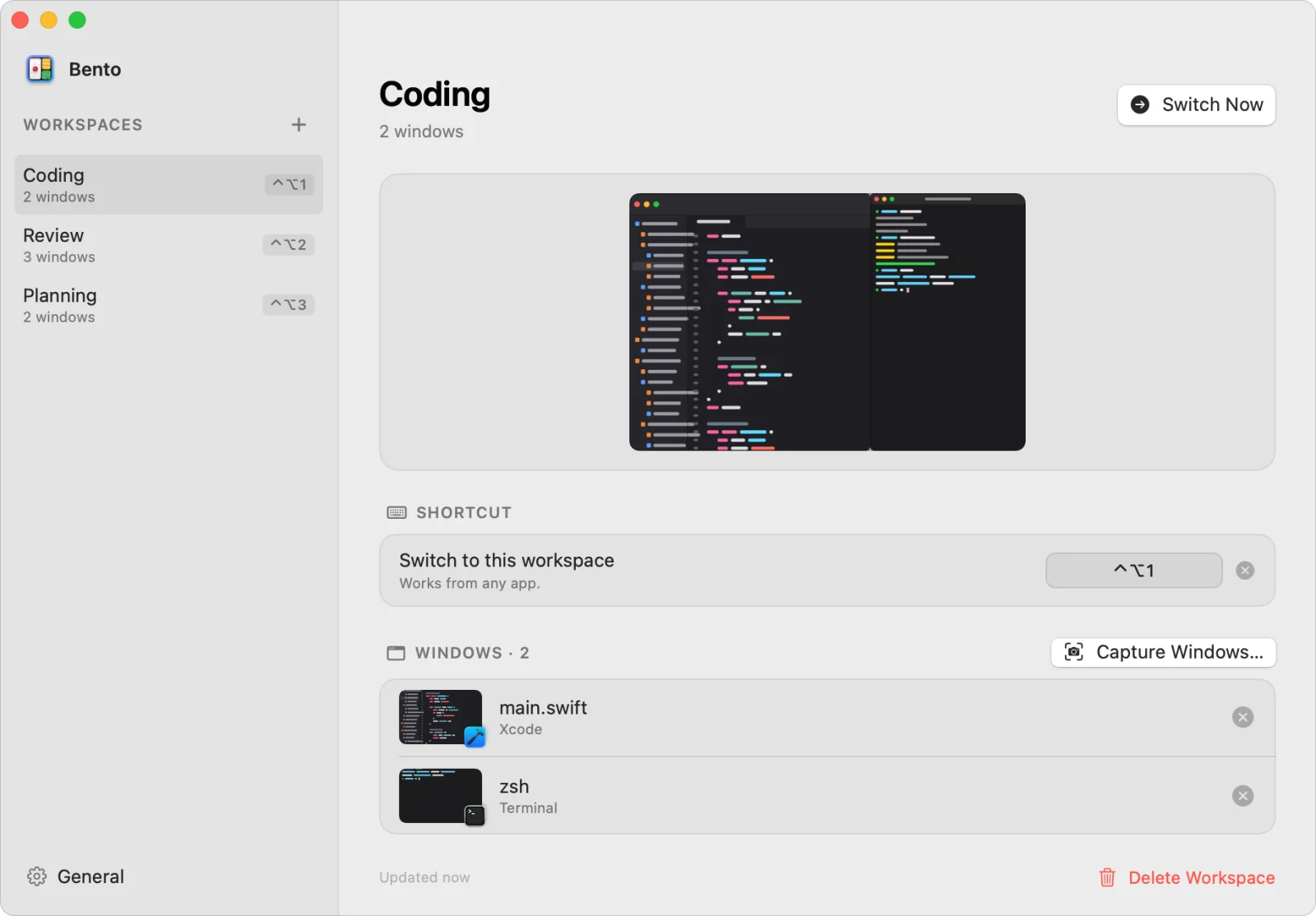
Each workspace's layout, shortcut and windows, with a preview of how it looks.
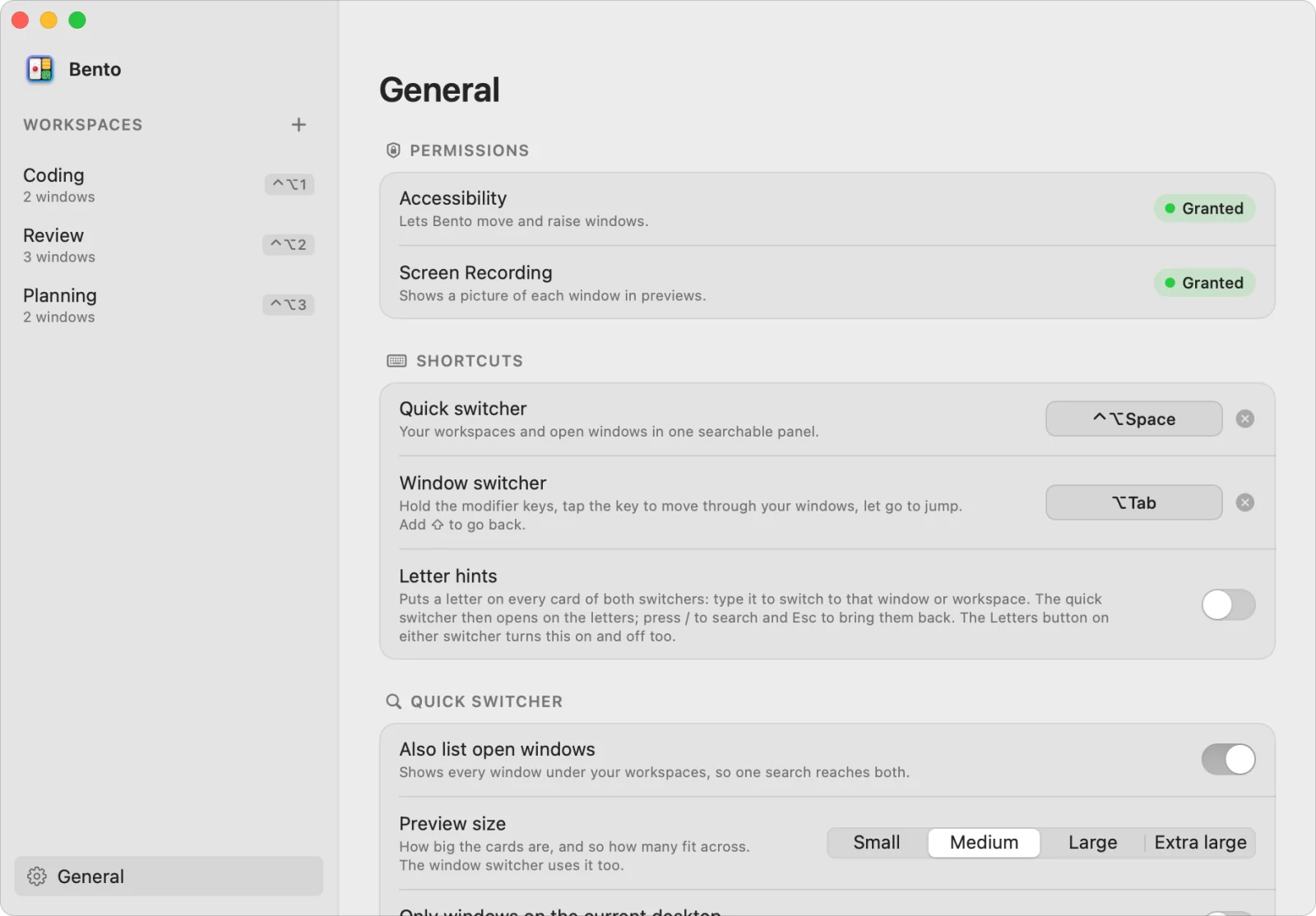
Shortcuts, letter hints, preview size, and which windows the switchers list.
How it works
Lay out the windows for a task: editor on the left, browser and terminal on the right, whatever works for you.
Menu bar icon › New Workspace from Current Windows… Tick the windows, save, and give it a shortcut if you like.
Press the shortcut, pick it in the quick switcher, or choose it from the menu. Every window snaps back.
Cheat sheet
All of them can be changed in the settings.
Install
brew install --cask tuanchauict/tap/bento
Update with brew upgrade --cask bento. Uninstall with brew uninstall --cask bento; add --zap to also remove your saved workspaces and caches.
Get the zip, unzip it, and move Bento.app to Applications. To update, replace the app with a newer one.
Download the zipmacOS 14 or later. One build for Apple silicon and Intel, signed and notarized by Apple.
RequiredAccessibility
How windows are found, moved and raised. Turn it on in System Settings › Privacy & Security › Accessibility.
OptionalScreen Recording
Gives the switchers a picture of each window; without it they show app icons. The pictures never leave your Mac. macOS may ask you to reopen the app after you allow it.
FAQ
Yes. No account and no subscription, and everything it does today stays free.
No. The app has no networking code: no analytics, no account, no update checks. Workspaces and window pictures are kept on your Mac. Updates come through Homebrew or a new download.
macOS only lets an app find, move and raise other apps' windows through Accessibility. Without it there is nothing Bento can do.
Yes. The window switcher lists the windows of every desktop, and picking one, or a workspace whose windows are on another desktop, takes you there. If macOS stays put, turn on System Settings › Desktop & Dock › When switching to an application, switch to a Space with open windows for the application.
To bring forward only the windows you asked for, and to reach other desktops, Bento uses private macOS calls, the way AltTab and yabai do. It is the default. If a macOS update ever upsets it, choose Standard in the General settings: public APIs only, but an app's other windows may come forward too, and other desktops are out of reach.
Its windows are skipped, and you are told which ones. Bento never launches apps for you.
No. Positions are saved per display. When the display a workspace was saved on is missing, its windows are scaled onto the main display. Full-screen windows are never moved.
Please open an issue on GitHub.

Free for macOS 14 and later.
brew install --cask tuanchauict/tap/bento